Build a CLI Tool With Bun in 20 Minutes
April 11, 2026
You can build a CLI tool with Bun in 20 minutes, including argument parsing, colored output, and compilation to a single binary. No package.json required, no build step, no bundler config. This tutorial builds a real file-scaffolding CLI from zero to compiled executable.
Why Bun for CLI Tools#
Node.js CLI tools have a cold start problem. A simple node index.ts with ts-node or tsx takes 90-120ms before your code runs. Bun starts a TypeScript file in about 8-18ms with zero config.
That gap matters for CLI tools. When a command runs on every file save, every git hook, or every terminal prompt, 100ms of overhead adds up. Bun removes it.
- Native TypeScript without transpilation or
tsconfig.json - Built-in
util.parseArgsfor zero-dependency argument handling bun build --compileproduces a standalone binary that runs without Bun installed- 4-6x faster cold start than Node.js 22 on a typical CLI file with imports
If you want deeper coverage of what Bun can do beyond CLI tools, I wrote about lesser-known built-in APIs that replace entire npm packages.
Project Setup#
Create a directory and initialize it. Bun generates a minimal project in under a second.
mkdir scaffold-cli && cd scaffold-cli
bun init -y
This creates index.ts, package.json, and tsconfig.json. Delete the tsconfig if you want; Bun does not need it. Create your entry file.
#!/usr/bin/env bun
console.log("scaffold-cli running");
console.log("args:", Bun.argv.slice(2));
The shebang line (#!/usr/bin/env bun) lets Unix systems run the file directly after chmod +x cli.ts. On Windows, you call bun cli.ts instead. Test it now.
bun cli.ts hello --name world
# scaffold-cli running
# args: [ "hello", "--name", "world" ]
Argument Parsing Without Dependencies#
Most CLI tutorials start with commander or yargs. You do not need either. Node's util.parseArgs ships with Bun and handles flags, positionals, and validation out of the box.
#!/usr/bin/env bun
import { parseArgs } from "util";

const { values, positionals } = parseArgs({
  args: Bun.argv.slice(2),
  options: {
    name: { type: "string", short: "n" },
    typescript: { type: "boolean", short: "t", default: true },
    force: { type: "boolean", short: "f", default: false },
  },
  strict: true,
  allowPositionals: true,
});

const command = positionals[0];

if (!command) {
  console.error("Usage: scaffold <command> [options]");
  console.error("Commands: create, list");
  process.exit(1);
}

console.log(`Command: ${command}`);
console.log(`Project name: ${values.name ?? "untitled"}`);
console.log(`TypeScript: ${values.typescript}`);
console.log(`Force overwrite: ${values.force}`);
Run it with bun cli.ts create -n my-app --force. The strict: true flag means unknown arguments throw an error instead of being silently ignored. That catches typos early.
Tip:parseArgsreturns typed values when you useas conston the options object. TypeScript infersvalues.nameasstring | undefinedandvalues.forceasbooleanwithout manual casting.
Adding Color and Spinners#
Terminal color is just ANSI escape codes. You can skip chalk entirely for a CLI this size. I use a small helper object that keeps the code readable.
const c = {
  reset: "\x1b[0m",
  bold: "\x1b[1m",
  red: "\x1b[31m",
  green: "\x1b[32m",
  yellow: "\x1b[33m",
  cyan: "\x1b[36m",
  dim: "\x1b[2m",
};

function log(msg: string) {
  console.log(`${c.cyan}[scaffold]${c.reset} ${msg}`);
}

function success(msg: string) {
  console.log(`${c.green}\u2713${c.reset} ${msg}`);
}

function error(msg: string) {
  console.error(`${c.red}\u2717${c.reset} ${msg}`);
}
For a progress indicator, a simple spinner takes four lines. No need for the ora package.
const frames = ["|", "/", "-", "\\"];
let i = 0;

function spinner(msg: string) {
  return setInterval(() => {
    process.stdout.write(`\r${c.cyan}${frames[i++ % 4]}${c.reset} ${msg}`);
  }, 80);
}

// Usage:
const spin = spinner("Creating project...");
await Bun.sleep(1500); // simulate work
clearInterval(spin);
process.stdout.write("\r");
success("Project created");
The Scaffolding Logic#
Now wire the pieces together. The create command generates a directory with starter files. Bun's file I/O API (Bun.write) is simpler than Node's fs module for this use case.
import { existsSync, mkdirSync } from "fs";
import { join } from "path";

async function createProject(name: string, ts: boolean, force: boolean) {
  const dir = join(process.cwd(), name);

  if (existsSync(dir) && !force) {
    error(`Directory "${name}" already exists. Use --force to overwrite.`);
    process.exit(1);
  }

  mkdirSync(dir, { recursive: true });

  const ext = ts ? "ts" : "js";

  await Bun.write(
    join(dir, `index.${ext}`),
    `console.log("Hello from ${name}");\n`
  );

  await Bun.write(
    join(dir, "package.json"),
    JSON.stringify(
      {
        name,
        version: "0.1.0",
        module: `index.${ext}`,
        type: "module",
        devDependencies: ts
          ? { "@types/bun": "latest" }
          : {},
      },
      null,
      2
    )
  );

  success(`Created ${c.bold}${name}${c.reset} with ${ts ? "TypeScript" : "JavaScript"}`);
  log(`${c.dim}cd ${name} && bun install${c.reset}`);
}
Call it from your argument handler by replacing the console.log block with await createProject(values.name ?? "untitled", values.typescript, values.force). The full wiring is in the complete source below.
Compile to a Standalone Binary#
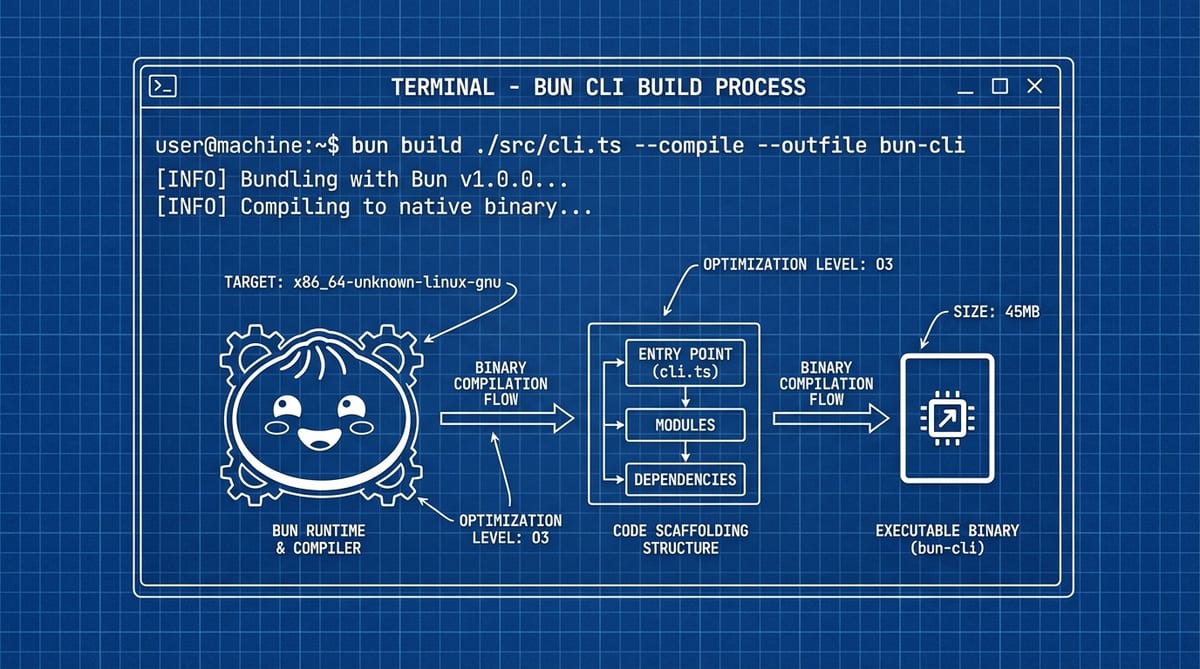
This is where Bun pulls ahead of every other JavaScript runtime for CLI distribution. One command produces a single executable that runs without Bun, Node, or any runtime installed on the target machine.
bun build ./cli.ts --compile --outfile scaffoldThat produces a scaffold binary (or scaffold.exe on Windows). The binary bundles your code and the Bun runtime into one file. On my machine, the output is around 55 MB before minification.
# Smaller binary with minification
bun build ./cli.ts --compile --minify --outfile scaffold

# Cross-compile for Linux from macOS or Windows
bun build ./cli.ts --compile --target=bun-linux-x64 --outfile scaffold-linux

# Cross-compile for Windows
bun build ./cli.ts --compile --target=bun-windows-x64 --outfile scaffold.exebun-darwin-arm64andbun-darwin-x64for macOSbun-linux-x64,bun-linux-arm64, and musl variants for Linuxbun-windows-x64andbun-windows-arm64for Windows--minifyreduces transpiled code size inside the binary- The binary includes all imported modules, no
node_modulesneeded at runtime
Note: Compiled binaries start at ~50 MB because they embed the Bun runtime. This is comparable to Go or Rust binaries with large standard libraries. For distribution via npm, use bun build --compile only when you need a true standalone executable.The Full Source#
Here is the complete CLI in one file. Copy it, run bun build --compile, and you have a working scaffolding tool.
#!/usr/bin/env bun
import { parseArgs } from "util";
import { existsSync, mkdirSync } from "fs";
import { join } from "path";

// Colors
const c = {
  reset: "\x1b[0m",
  bold: "\x1b[1m",
  red: "\x1b[31m",
  green: "\x1b[32m",
  yellow: "\x1b[33m",
  cyan: "\x1b[36m",
  dim: "\x1b[2m",
};

function log(msg: string) {
  console.log(`${c.cyan}[scaffold]${c.reset} ${msg}`);
}
function success(msg: string) {
  console.log(`${c.green}\u2713${c.reset} ${msg}`);
}
function error(msg: string) {
  console.error(`${c.red}\u2717${c.reset} ${msg}`);
}

// Parse arguments
const { values, positionals } = parseArgs({
  args: Bun.argv.slice(2),
  options: {
    name: { type: "string", short: "n" },
    typescript: { type: "boolean", short: "t", default: true },
    force: { type: "boolean", short: "f", default: false },
    help: { type: "boolean", short: "h", default: false },
  },
  strict: true,
  allowPositionals: true,
});

if (values.help || positionals.length === 0) {
  console.log(`
${c.bold}scaffold${c.reset} - Project scaffolding CLI

${c.yellow}Usage:${c.reset}
  scaffold create -n <name> [options]

${c.yellow}Options:${c.reset}
  -n, --name         Project name (default: "untitled")
  -t, --typescript   Use TypeScript (default: true)
  -f, --force        Overwrite existing directory
  -h, --help         Show this help message
`);
  process.exit(0);
}

const command = positionals[0];

async function createProject(name: string, ts: boolean, force: boolean) {
  const dir = join(process.cwd(), name);

  if (existsSync(dir) && !force) {
    error(`Directory "${name}" already exists. Use --force to overwrite.`);
    process.exit(1);
  }

  mkdirSync(dir, { recursive: true });
  log(`Creating ${c.bold}${name}${c.reset}...`);

  const ext = ts ? "ts" : "js";

  await Bun.write(
    join(dir, `index.${ext}`),
    `console.log("Hello from ${name}");\n`
  );

  await Bun.write(
    join(dir, "package.json"),
    JSON.stringify(
      {
        name,
        version: "0.1.0",
        module: `index.${ext}`,
        type: "module",
        devDependencies: ts ? { "@types/bun": "latest" } : {},
      },
      null,
      2
    )
  );

  if (ts) {
    await Bun.write(
      join(dir, "tsconfig.json"),
      JSON.stringify(
        {
          compilerOptions: {
            strict: true,
            module: "esnext",
            moduleResolution: "bundler",
            target: "esnext",
            types: ["bun-types"],
          },
        },
        null,
        2
      )
    );
  }

  success(`Created ${c.bold}${name}${c.reset} with ${ts ? "TypeScript" : "JavaScript"}`);
  log(`${c.dim}cd ${name} && bun install${c.reset}`);
}

switch (command) {
  case "create":
    await createProject(
      values.name ?? "untitled",
      values.typescript ?? true,
      values.force ?? false
    );
    break;
  default:
    error(`Unknown command: ${command}`);
    process.exit(1);
}
Run it with bun cli.ts create -n my-app to scaffold a project, or compile it with bun build ./cli.ts --compile --outfile scaffold and distribute the binary. The entire tool is under 100 lines.
For a broader look at CLI tools worth adding to your workflow, I maintain a curated list. If you are new to the Bun runtime itself, start with the getting started guide before building a CLI tool with Bun.
Twenty minutes, one file, zero build config. The compiled binary runs on machines that have never heard of Bun, Node, or npm. That is the pitch, and for CLI tools of this size, it delivers.